
The spotting desk
OM0RX xCluster
Live DX-cluster activity, classified against your logbook so new calls, bands and opportunities are easier to find.
macOS 13+Published macOS build
Public downloads in preparation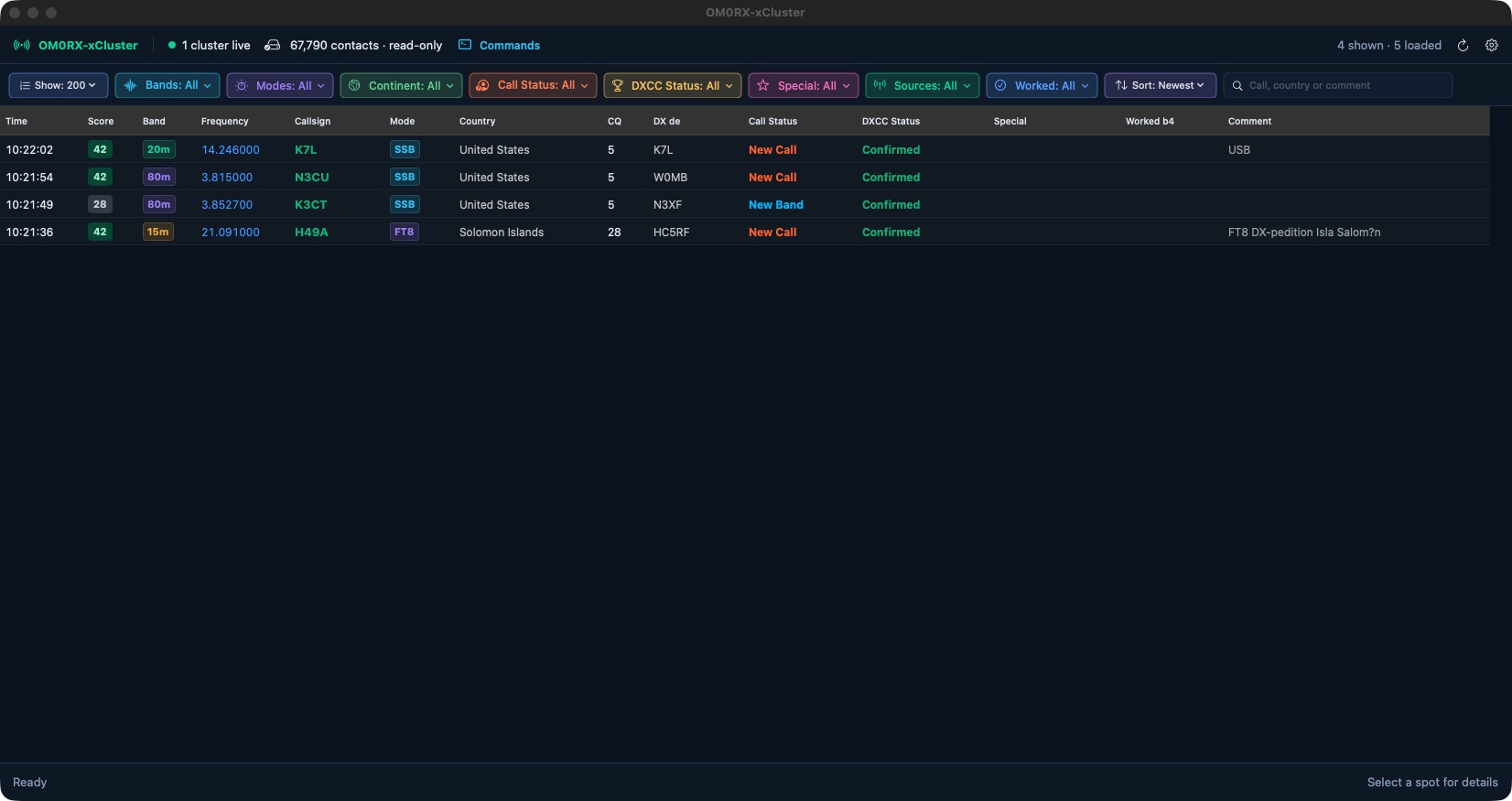
Built around the operator
The spotting desk.
xCluster connects to one or more DX clusters and turns their spots into a readable operating list. Bands, modes, continents and worked-before state can be combined with configurable colours and special-reference tags.
The application reads an xLog or RUMlogNG logbook without writing to it. A callsign opens previous-QSO evidence; a deliberate spot handoff can pass operating details to the configured logging and radio workflow.
In the workspace
What you can do.
Multiple cluster connections
Auto-reconnecting sessions, a command console and independently selectable RBN/Skimmer spots.
Useful classification
New calls, bands, modes and DXCC opportunities are presented beside worked and confirmed evidence.
Portable references
Configurable rules identify parks, summits, islands, flora/fauna, castles and other station references.
xLog handoff
A local classified snapshot feeds xLog maps while retaining the chosen filters and semantic colours.
Availability
At your station.
- Published version
- 0.1.6
- Logbook access
- Read-only
- Cost
- Free
Before you begin
- macOS 13 or later.
- An xLog database or RUMlogNG logbook for worked/confirmed classification.
- A configured cluster connection and compatible station setup for tuning handoff.
The published Mac application is Developer ID signed; the documented standalone builds are not notarized. Public download availability is being updated.
Request source code ↗